DoliHorus
Your Dolibarr invoices in Horus, automatically.
DoliHorus synchronizes customer and supplier invoices between Dolibarr and Horus, the Belgian accounting software. Send in one click or in the background, retrieve payments automatically, and let the module handle Belgian accounting requirements.
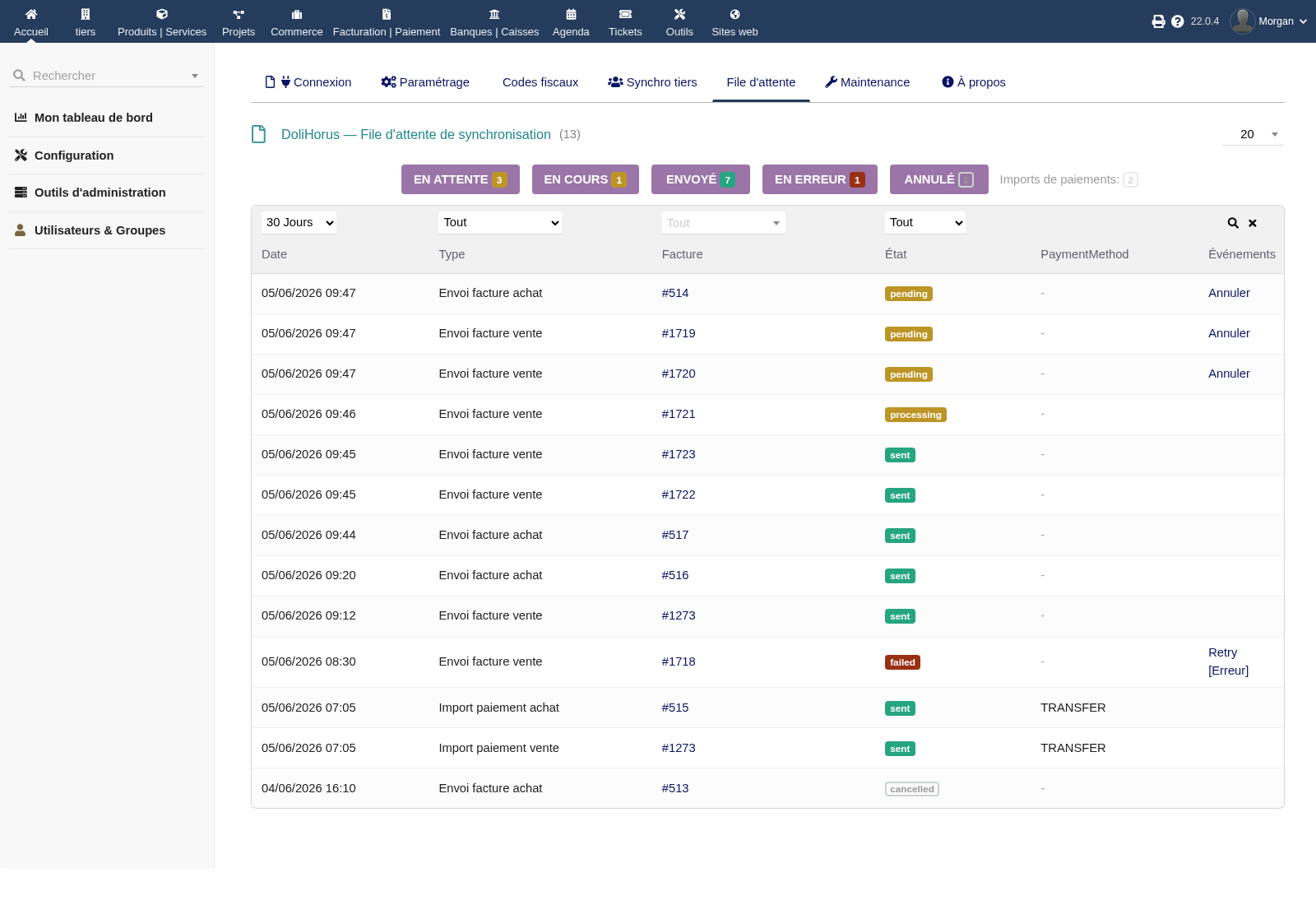
Horus queue: every send is tracked, retryable and under control.
12 months of updates and support included · No module subscription
No more double entry between Dolibarr and Horus
You invoice in Dolibarr, your accountant works in Horus: DoliHorus bridges both systems via the official API. Invoices are sent with the right accounting data and payments flow back to Dolibarr once reconciled.
Why DoliHorus?
Without a connector, every closing period means the same routine: export or re-enter sales invoices, repeat for purchases, check payments in Horus, then manually mark Dolibarr invoices as paid. It is slow, repetitive and each manual step adds room for error.
DoliHorus centralizes the workflow: validate in Dolibarr, send in one click or in bulk, and keep a full history of what was transmitted to Horus.
What DoliHorus automates
One-click sending — or bulk background processing
Two ways to send invoices to Horus: a button on the invoice for immediate sending, or a bulk action from the invoice list to queue documents for background cron processing.
- Sales and purchase invoices
- Customer and supplier credit notes
- Bulk processing without timeouts
- Status visible on every invoice
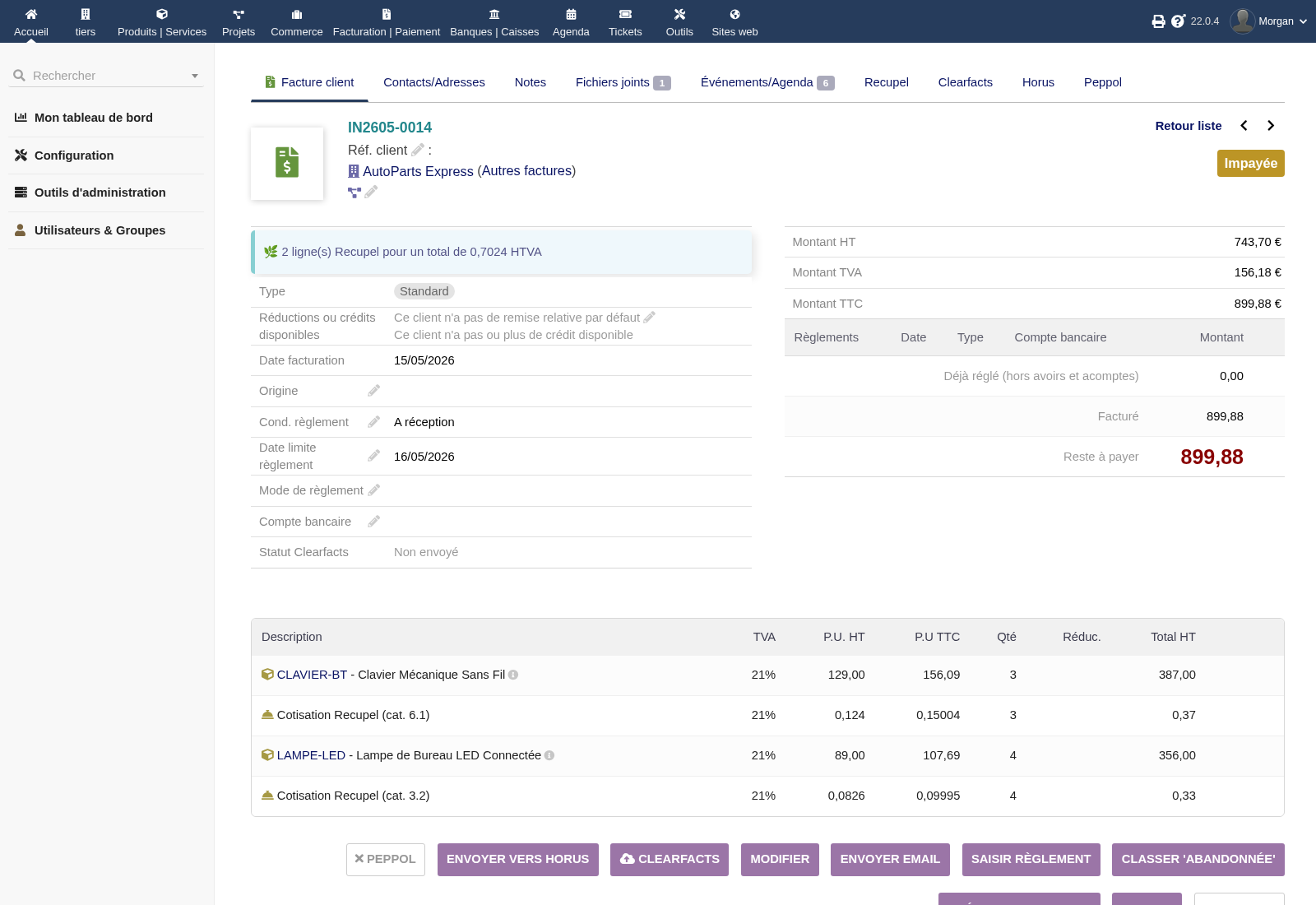
Manual send from the invoice
Payments come back automatically
DoliHorus retrieves payment statuses from Horus. Once an invoice is marked as paid by your accountant, the corresponding payment is automatically recorded in Dolibarr.
- Customer and supplier payments
- More reliable Dolibarr reminders
- Up-to-date cash-flow tracking
- No repetitive manual payment matching
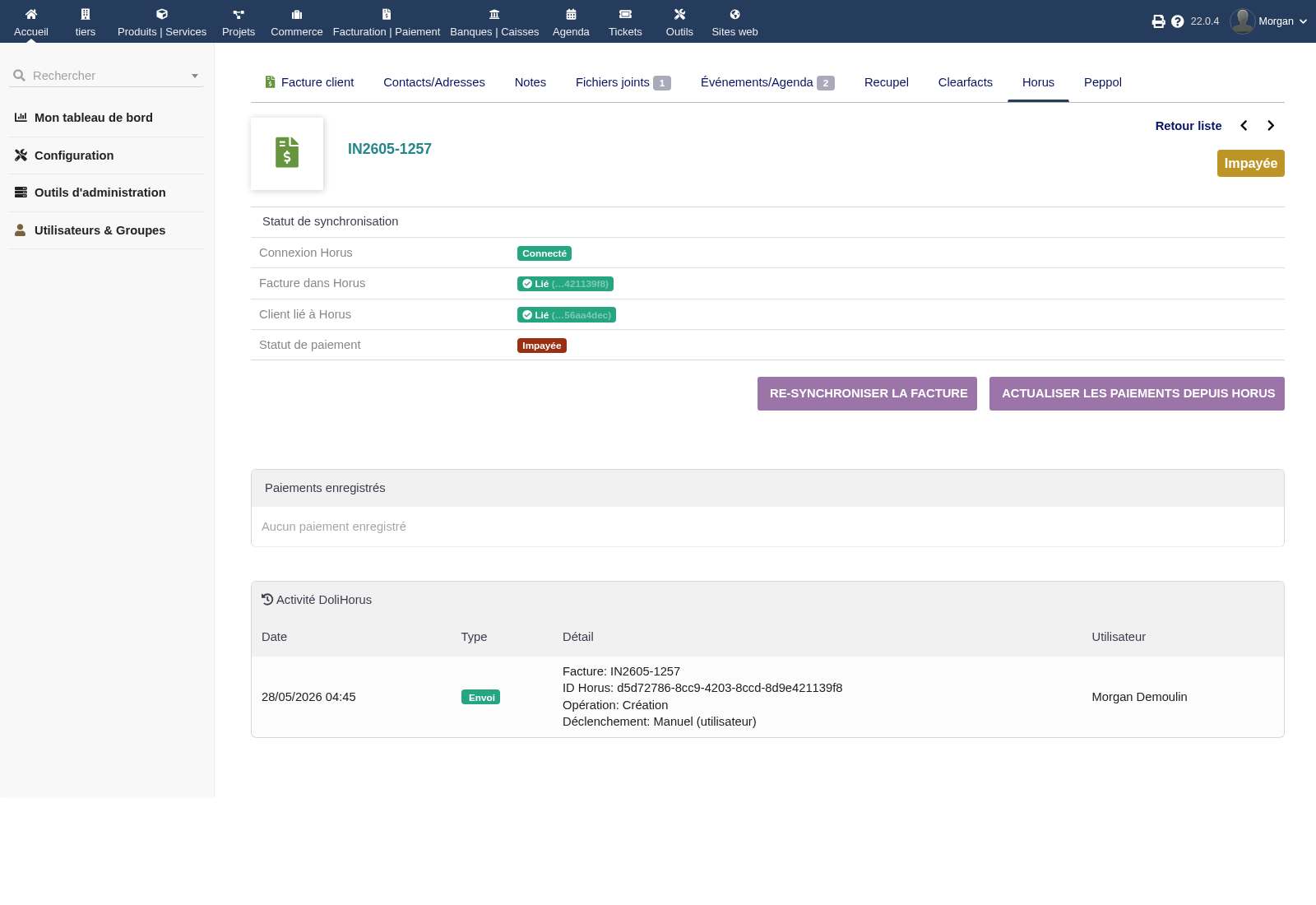
Horus status and audit trail on the invoice
Belgian TaxOrigin: automated fiscal mapping
Horus requires a TaxOrigin code on each invoice line. DoliHorus maps Dolibarr VAT rates to the correct Horus codes for sales and purchases, with auto-detection for common cases.
- Belgian VAT 0%, 6%, 12%, 21%
- Intra-community and export cases
- Reverse charge / co-contracting
- Exemptions and special cases
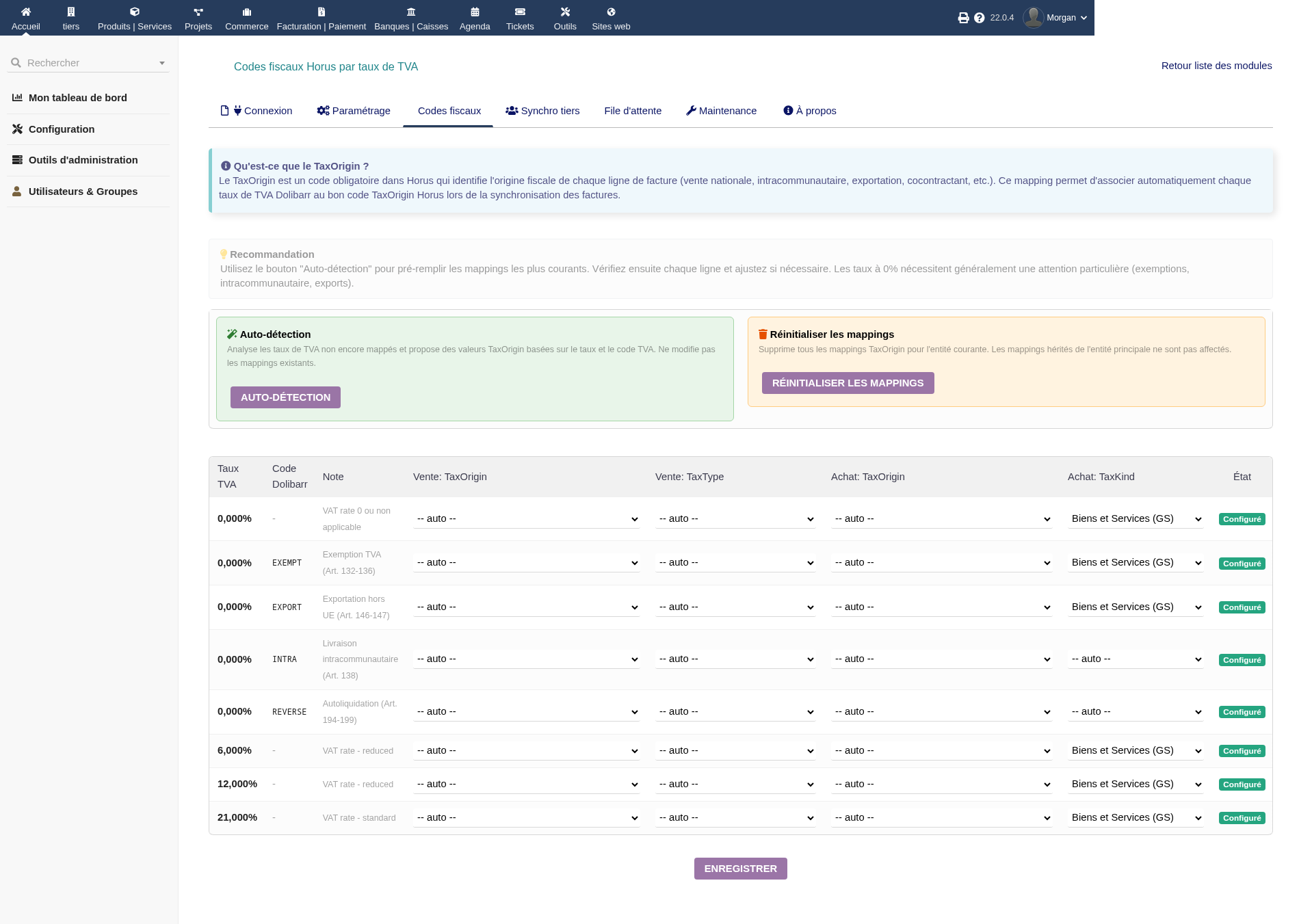
Horus fiscal code mapping
Your third parties matched automatically
The module matches Dolibarr customers and suppliers with Horus companies by VAT number, using a local cache, confidence score and manual validation when several candidates are possible.
- VAT number matching
- Confidence score
- Automatically refreshed Horus cache
- Horus tab on each third-party record
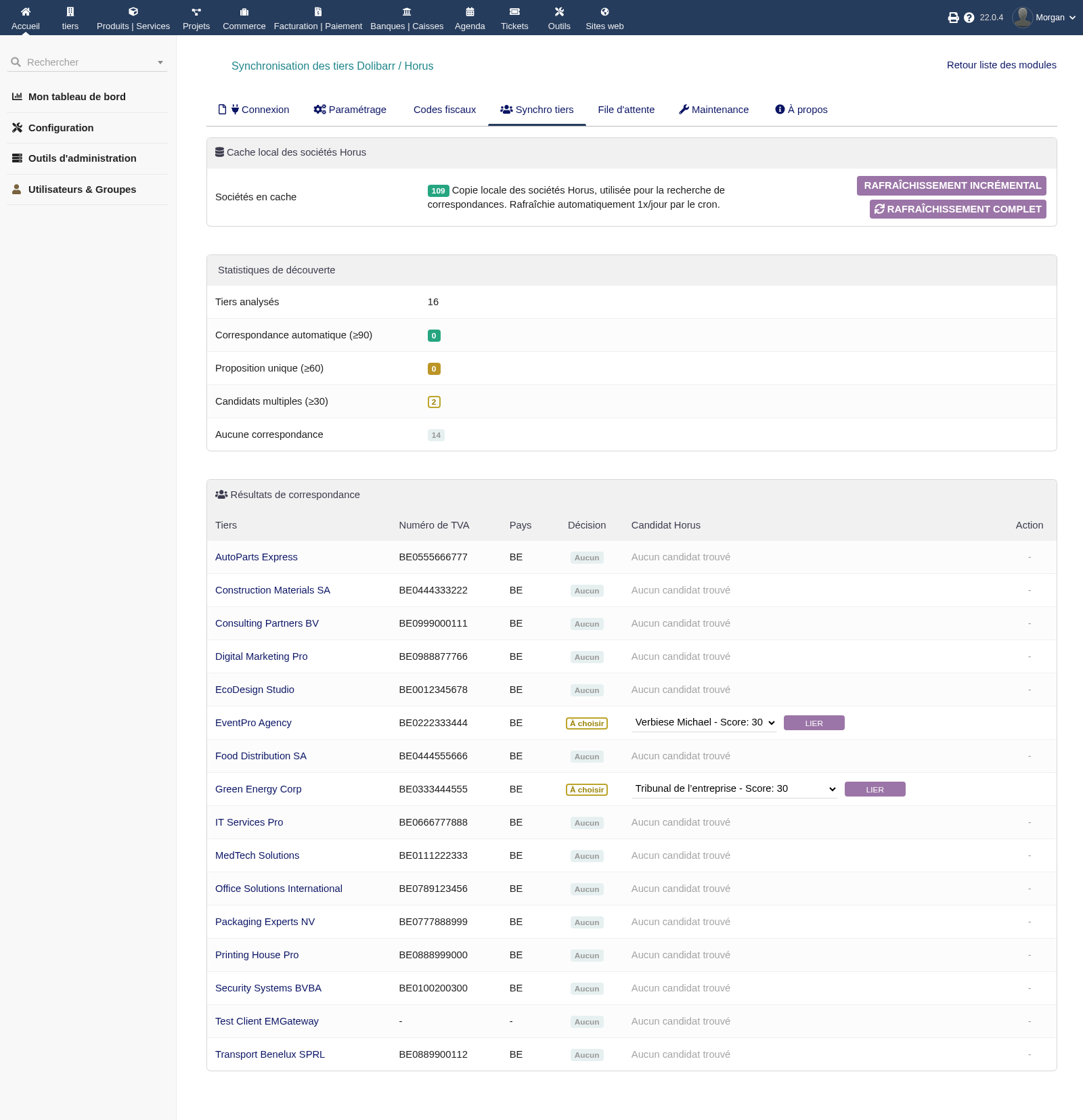
Smart third-party matching
A queue that does not lose anything
All sends are centralized in a clear queue: counters, filters, manual retry, automatic retry after failure, cancellation of pending items and full history.
- Counters by status
- Filters by period, type, third party and status
- Manual or automatic retry
- Full invoice-level audit trail
Horus queue: every send is tracked, retryable and under control.
Sales AND purchases
DoliHorus is not limited to sales invoices. It also synchronizes supplier invoices and their payments, so your complete accounting flow reaches your Horus accounting firm.
- Customer invoices + credit notes
- Supplier invoices + credit notes
- Customer and supplier payments
- Per-entity Multicompany configuration
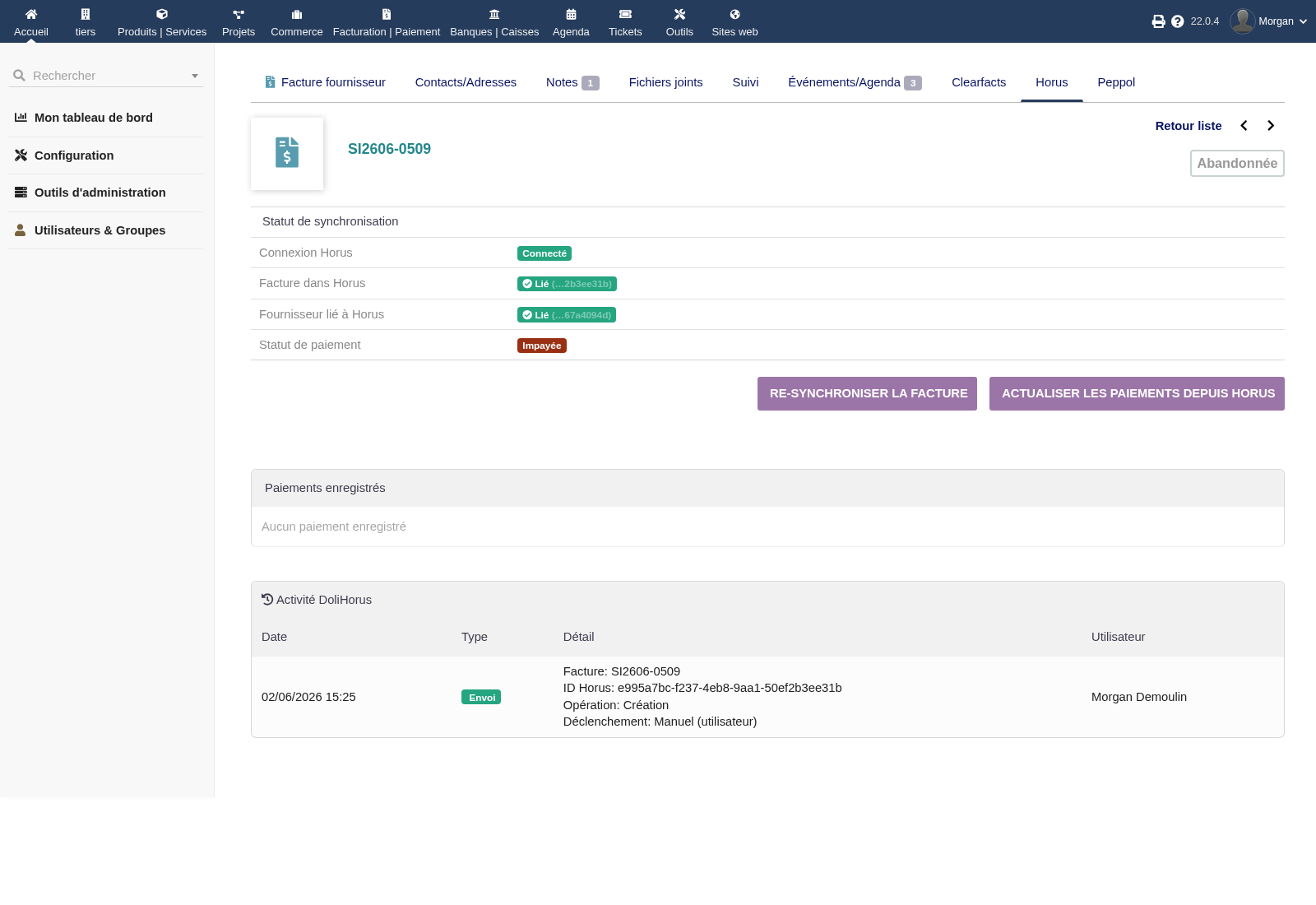
Horus tracking on a supplier invoice
Setup & administration
Official OAuth2
Secure connection through the official Horus OAuth2 flow: no Horus password is stored in Dolibarr, tokens are refreshed automatically.
Guided configuration
Company file selection, journals retrieved from Horus, chart of accounts, synchronization options and accounting safeguards.
Built-in diagnostics
Maintenance screen to check API connection, token validity, cron jobs, database integrity and synchronization statistics.
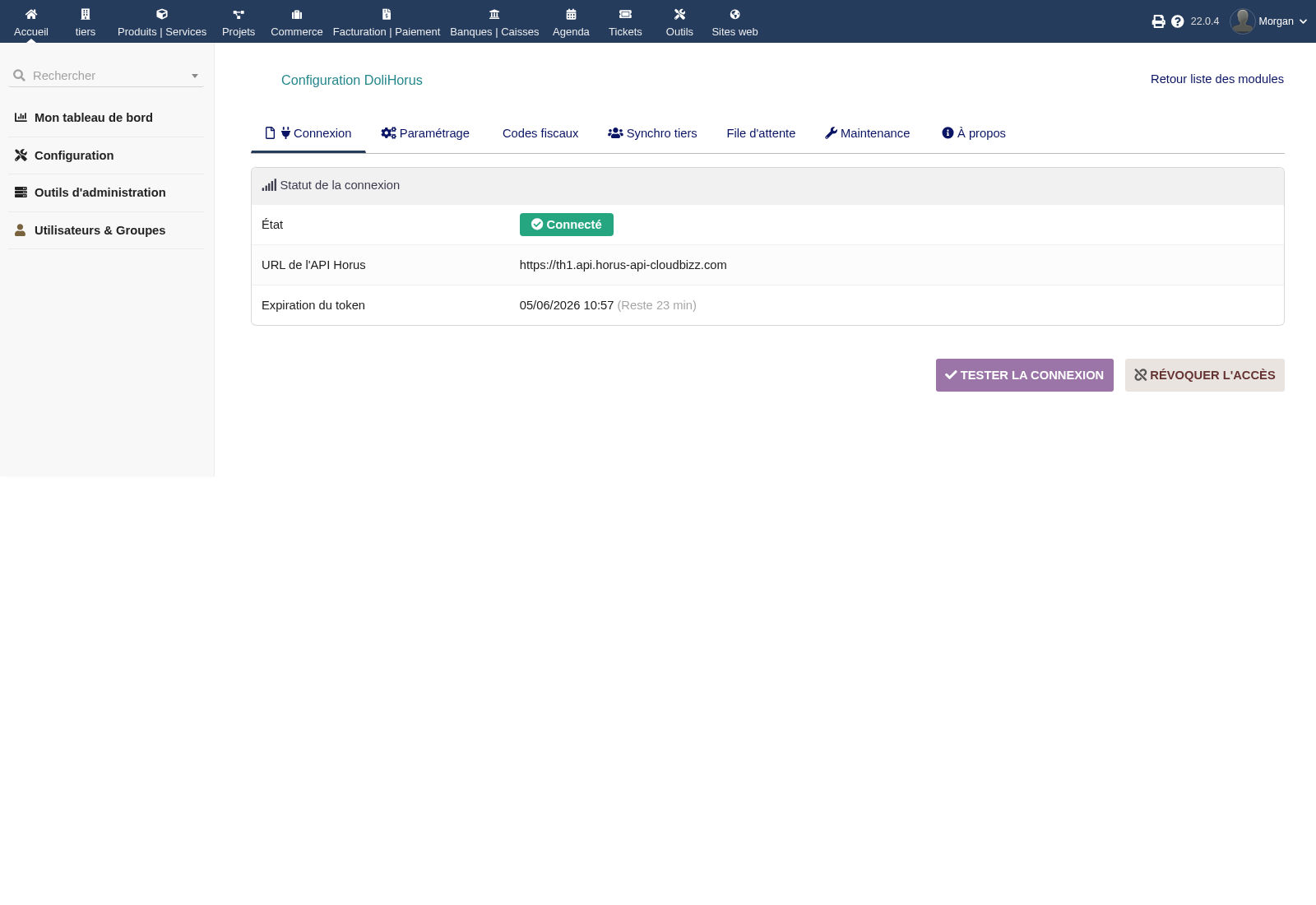
Horus OAuth2 connection
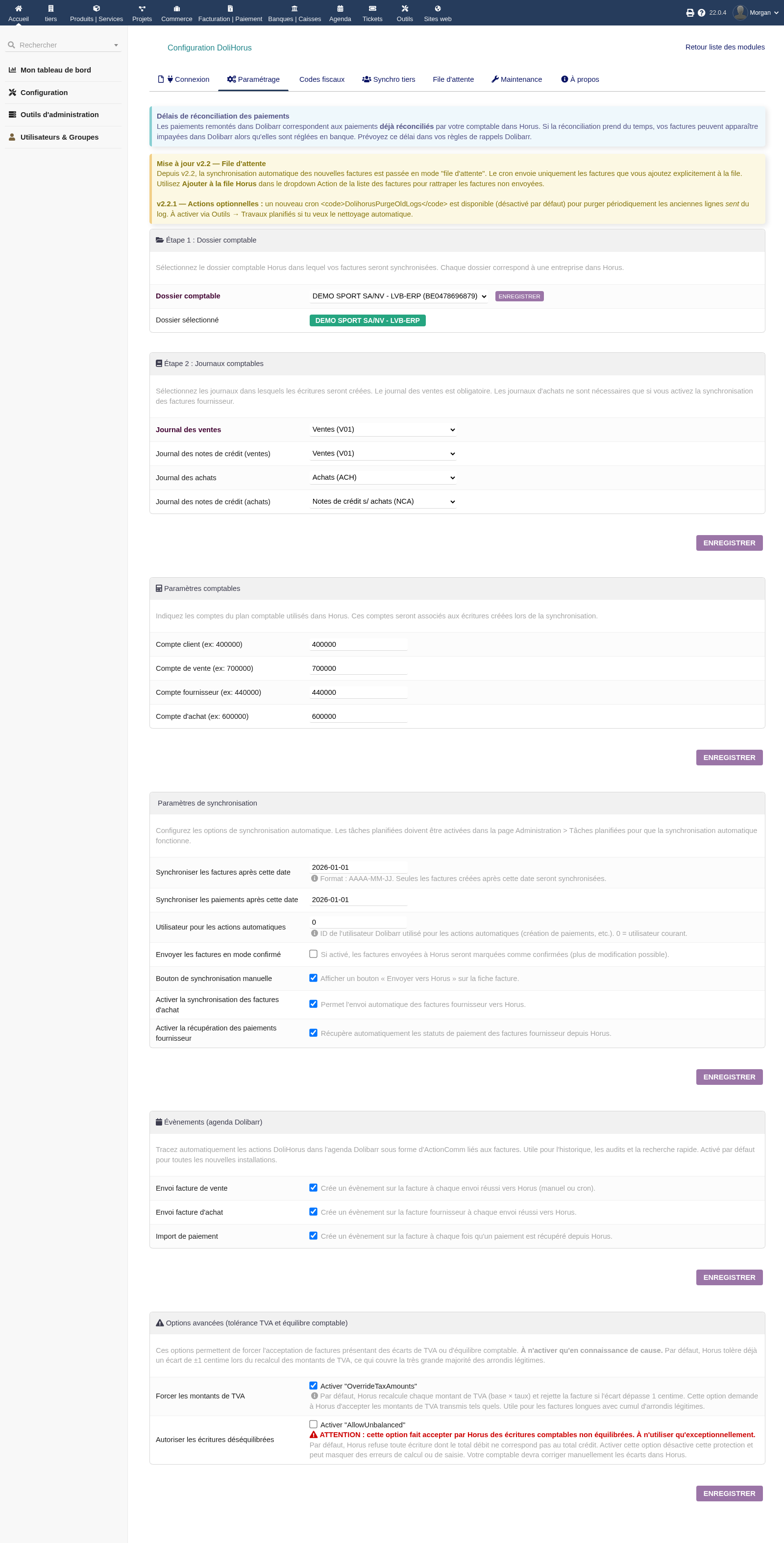
Company file, journals and account configuration
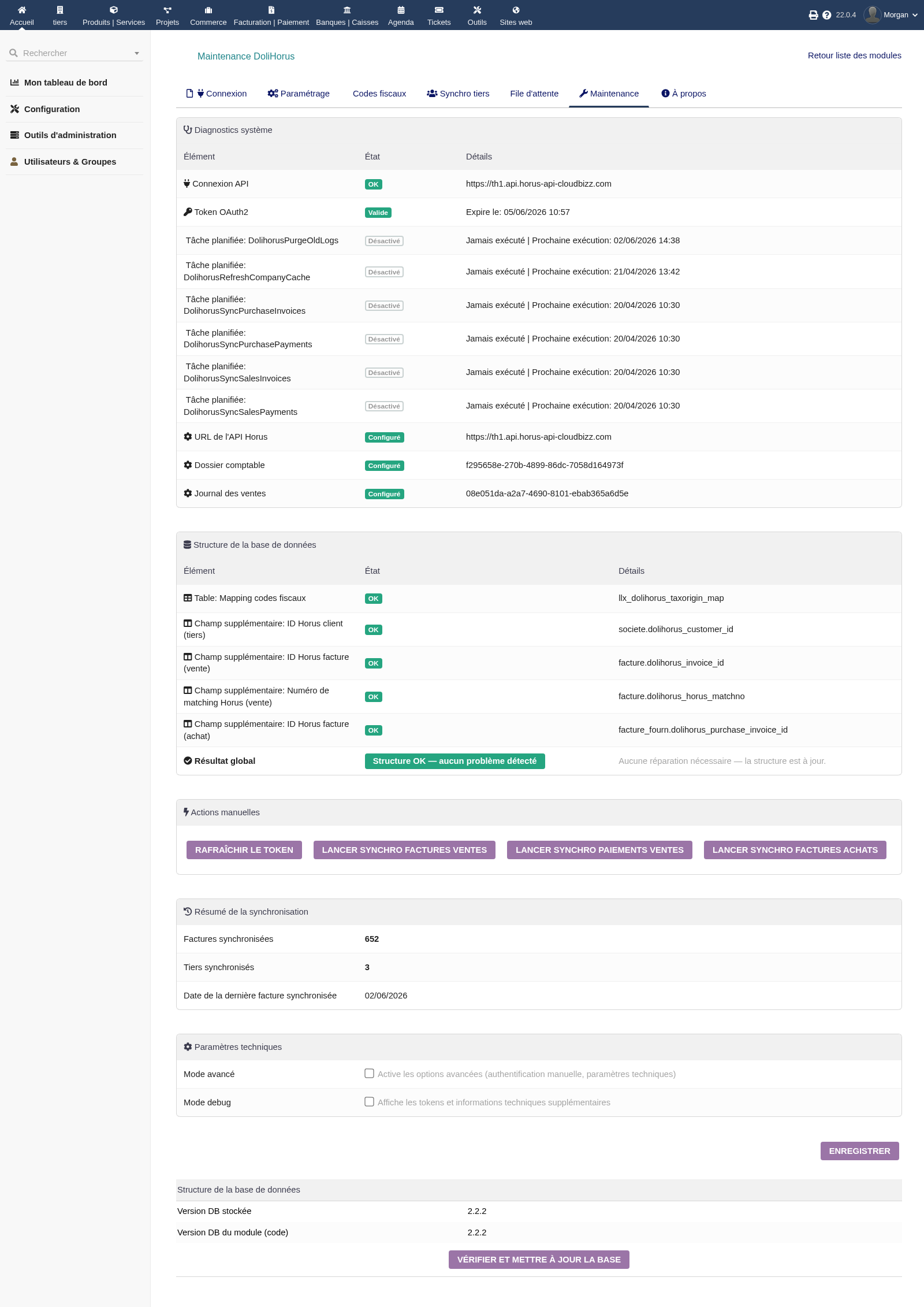
Maintenance and system diagnostics
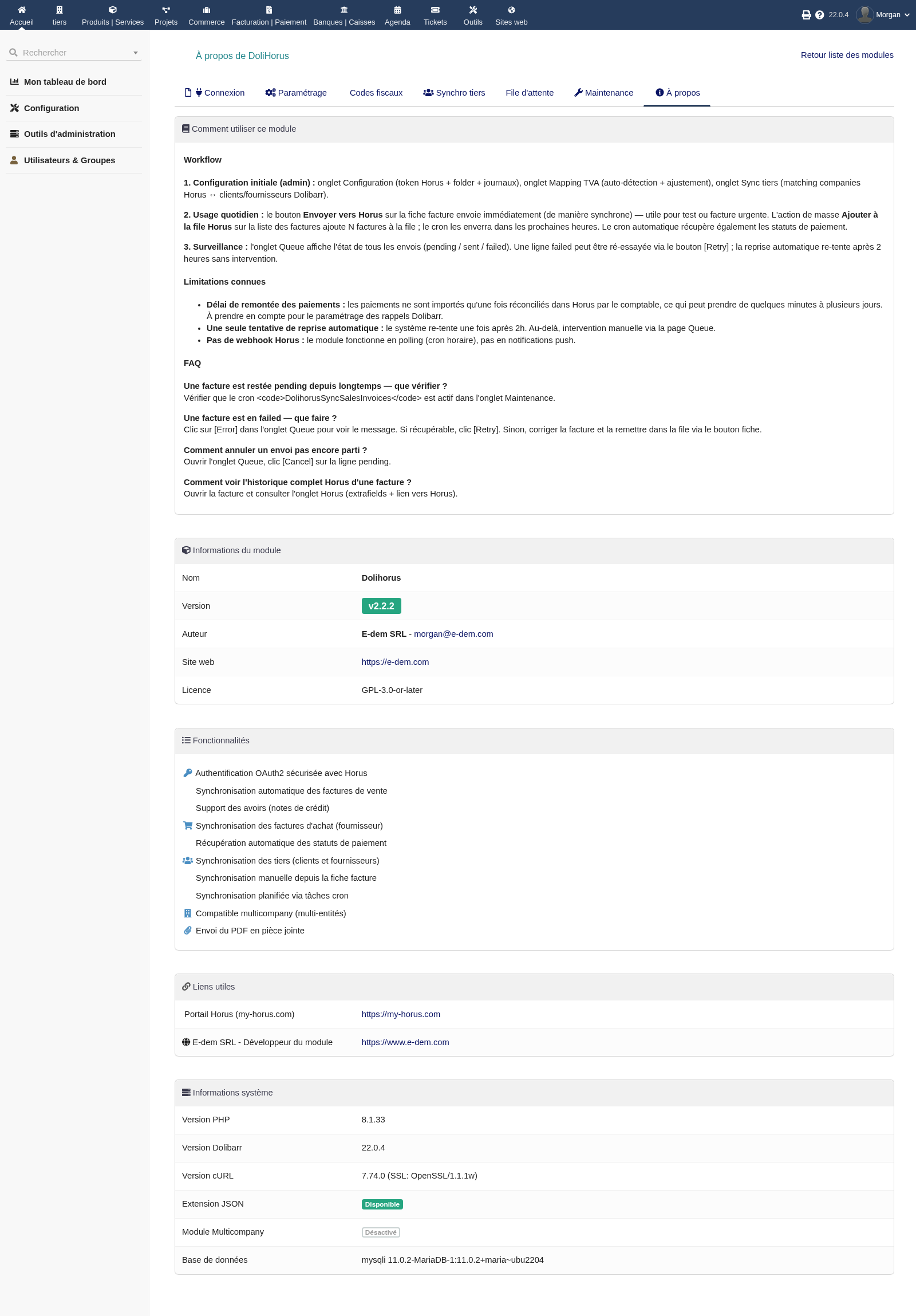
Built-in module guide
Security, compliance, reliability
Compatibility & technical specifications
Dolibarr
PHP
License
A coherent Belgian Dolibarr ecosystem
DoliHorus works naturally alongside EMPeppol for mandatory B2B e-invoicing, EMSmartFill to clean Belgian company data via BCE/KBO, and EMClearFacts for businesses or accounting firms using Clearfacts.
DoliHorus in pictures
Click a screenshot to enlarge it.
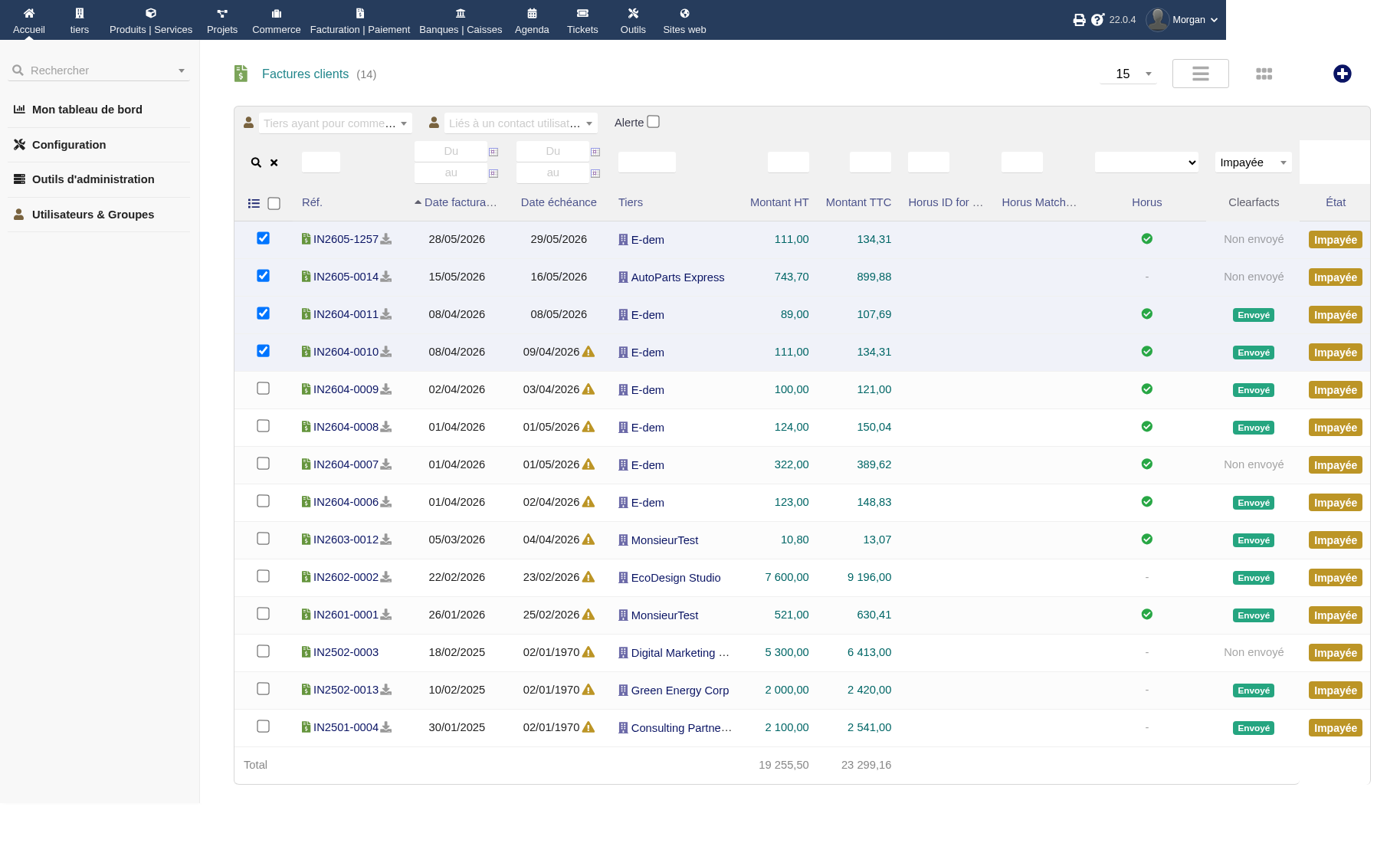
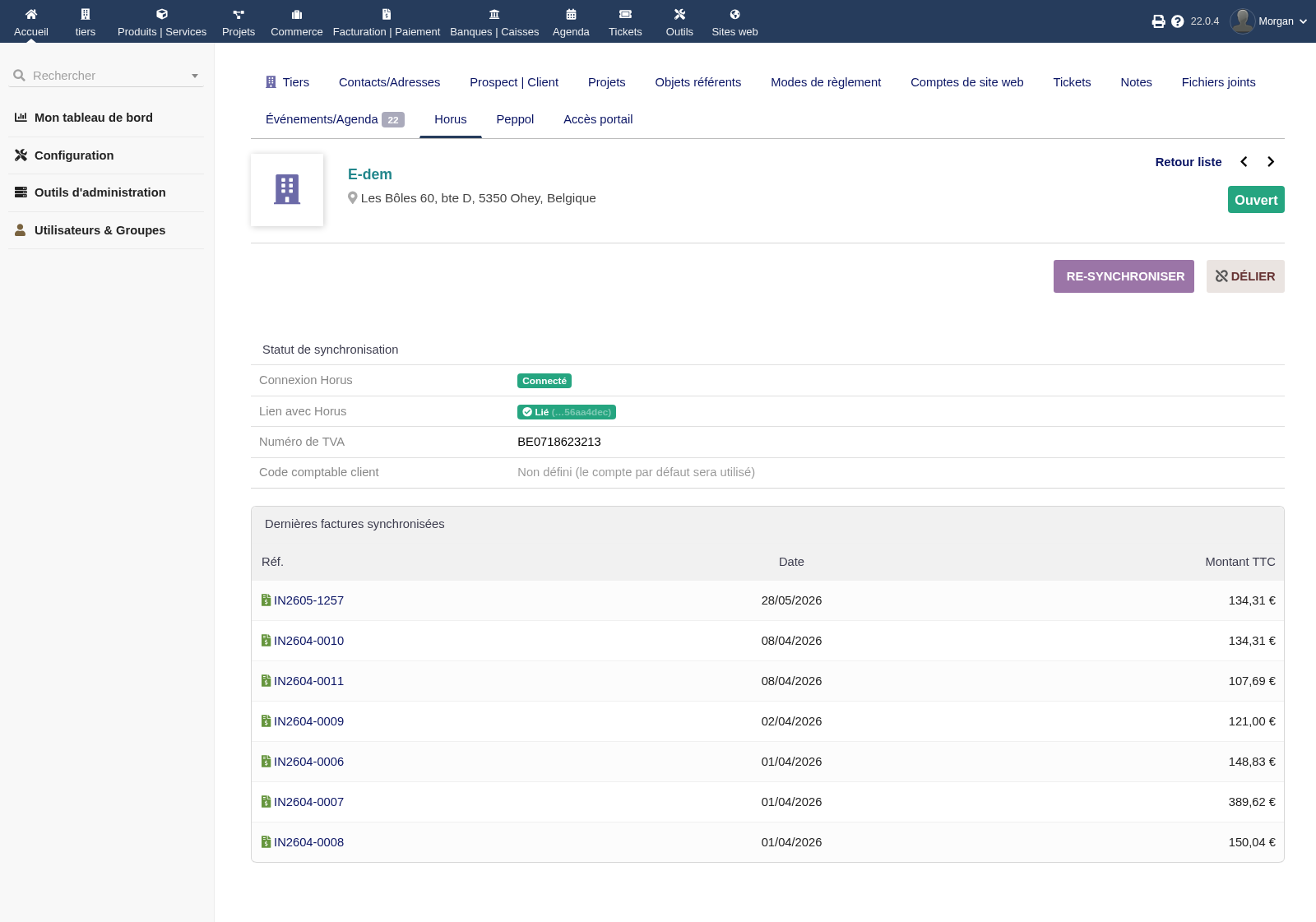
Frequently asked questions
Does DoliHorus handle supplier invoices, or only sales? +
Both. DoliHorus synchronizes sales and purchase invoices, including credit notes, and payment statuses for both sides.
Do I have to send everything manually? +
No. You can send in one click from the invoice or add invoices to the queue, including through bulk actions. The cron then processes sends in the background.
How are Belgian fiscal codes handled? +
A dedicated screen maps each Dolibarr VAT rate to the right Horus TaxOrigin code, separately for sales and purchases, with auto-detection for common cases.
What happens if a send fails? +
The item appears as failed in the queue with the exact message. You can retry in one click, and the system also retries automatically after a delay.
When do payments come back into Dolibarr? +
Once an invoice is reconciled as paid in Horus by your accountant. Depending on your accounting firm, this can take from a few minutes to a few days.
Compatible with EMPeppol and EMSmartFill? +
Yes. The Horus button can coexist with Peppol/Clearfacts actions, and a clean third-party database via EMSmartFill reduces VAT or address errors.
Need help?
Check the complete module documentation to learn more about installation, configuration and usage.
View documentationReady to connect Dolibarr and Horus?
Buy DoliHorus on the DoliStore or contact us for integration, configuration or compatibility questions about your Dolibarr instance.