- Why EMPayment?
- Prerequisites
- Installation
- Configuration
- EPC QR Code
- CODA / Codabox Import
- Bank Reconciliation
- Common Issues
- FAQ
EMPayment — CODA Import and SEPA QR Code for Dolibarr
EMPayment is a Dolibarr module covering two complementary needs: automating bank reconciliation via CODA import (Belgian .cod files and Codabox API), and facilitating invoice payment through SEPA EPC QR codes.
Why EMPayment?
- EPC QR codes on all your PDF invoices — Customer scans and the wire transfer is pre-filled (IBAN, BIC, amount, structured reference)
- Belgian OGM/VCS — Structured Belgian communications generated automatically
- ISO 11649 (RF) — Creditor references for international invoices
- CODA import — Manual or via Codabox API, with full history and dashboard
- Smart reconciliation — Multi-criteria matching (reference, amount, counterpart)
- Customer AND supplier invoices — Most CODA tools ignore suppliers; EMPayment doesn't
- Compatible with recent Dolibarr versions — PHP ≥ 8.1
Prerequisites
| Item | Minimum version |
|---|---|
| Dolibarr | Recent version |
| PHP | PHP ≥ 8.1 |
| Required Dolibarr modules | Invoices, Third Parties, Banks |
For Codabox integration: valid Codabox API credentials are required.
Installation
From the DoliStore
- Go to the DoliStore and search for EMPayment
- Purchase the module and download the ZIP archive
- Unzip the archive into your Dolibarr
htdocs/custom/folder - The final folder must be
htdocs/custom/empayment/
Activation
- Log in to Dolibarr as an administrator
- Go to Home → Setup → Modules/Applications
- Search for "EMPayment" and click Enable
Configuration
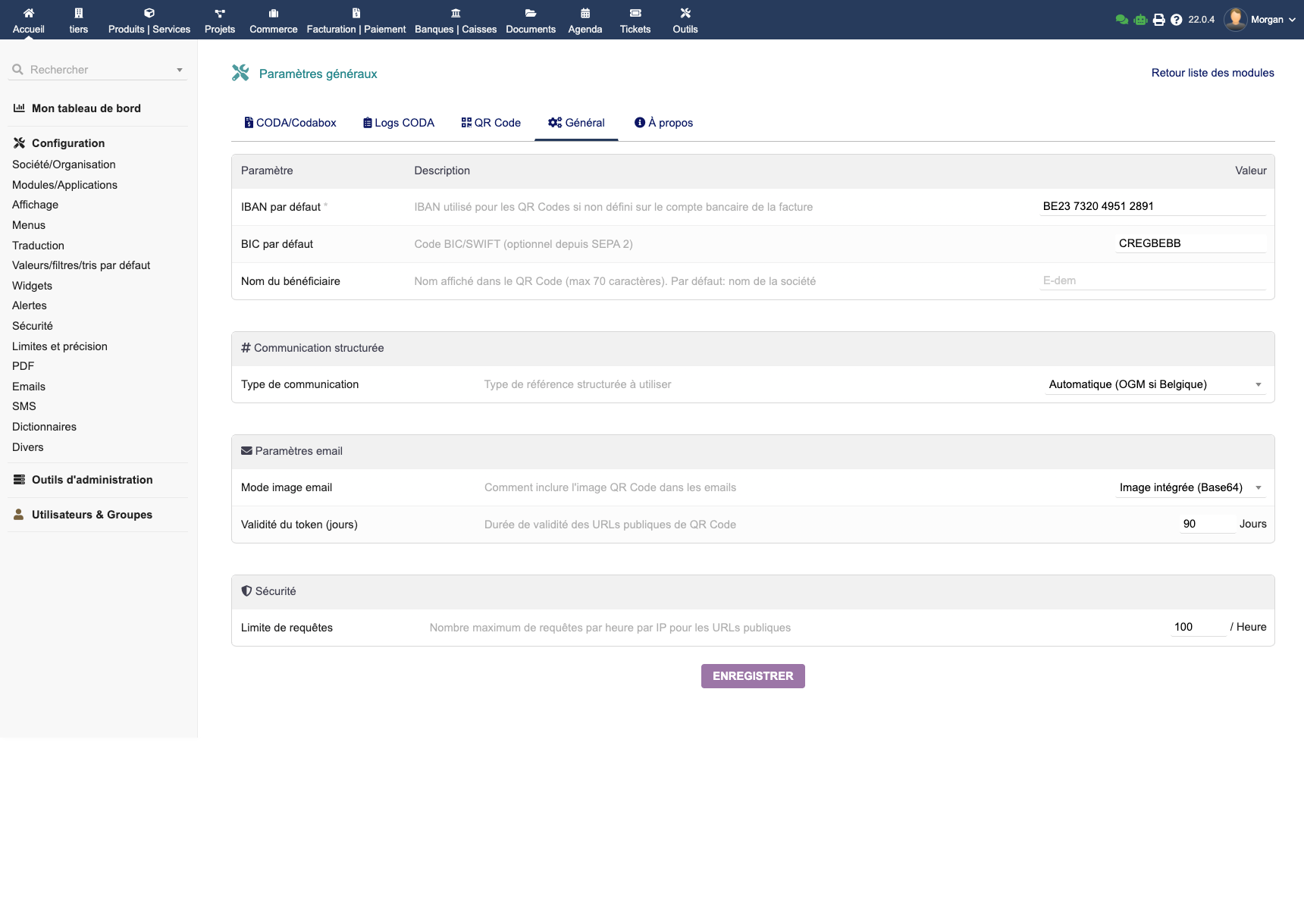
General parameters
Go to Administration → Modules → EMPayment → Configuration.
Enter your company's bank details:
| Parameter | Description |
|---|---|
| IBAN | Beneficiary account IBAN (e.g. BE68 5390 0754 7034) |
| BIC | Bank SWIFT/BIC code (e.g. TRIOBEBB) |
| Beneficiary | Name displayed in the QR Code |
| Communication type | OGM/VCS (Belgium), RF/ISO 11649 (international), or automatic |
EPC QR Code configuration
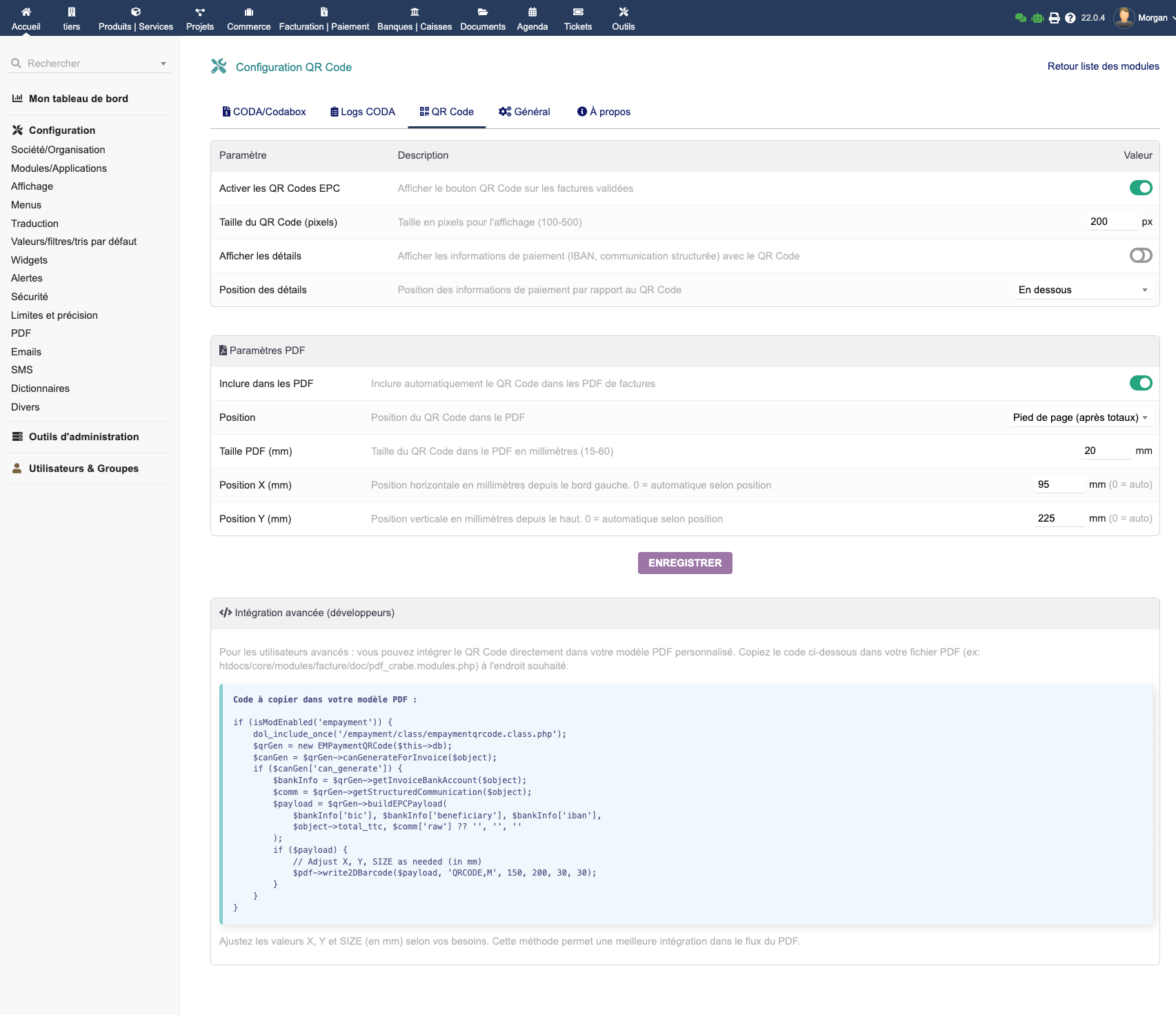
- Position in PDF: header or footer
- QR code size: configurable to match your PDF template
- Email variables: use
__EMPAYMENT_QRCODE_IMG__in your email templates
| Email variable | Description |
|---|---|
__EMPAYMENT_QRCODE_IMG__ |
QR Code image (base64) |
__EMPAYMENT_QRCODE_URL__ |
URL to the QR Code |
__EMPAYMENT_COMM__ |
Structured communication |
__EMPAYMENT_IBAN__ |
Beneficiary IBAN |
__EMPAYMENT_AMOUNT__ |
Formatted amount |
CODA / Codabox configuration
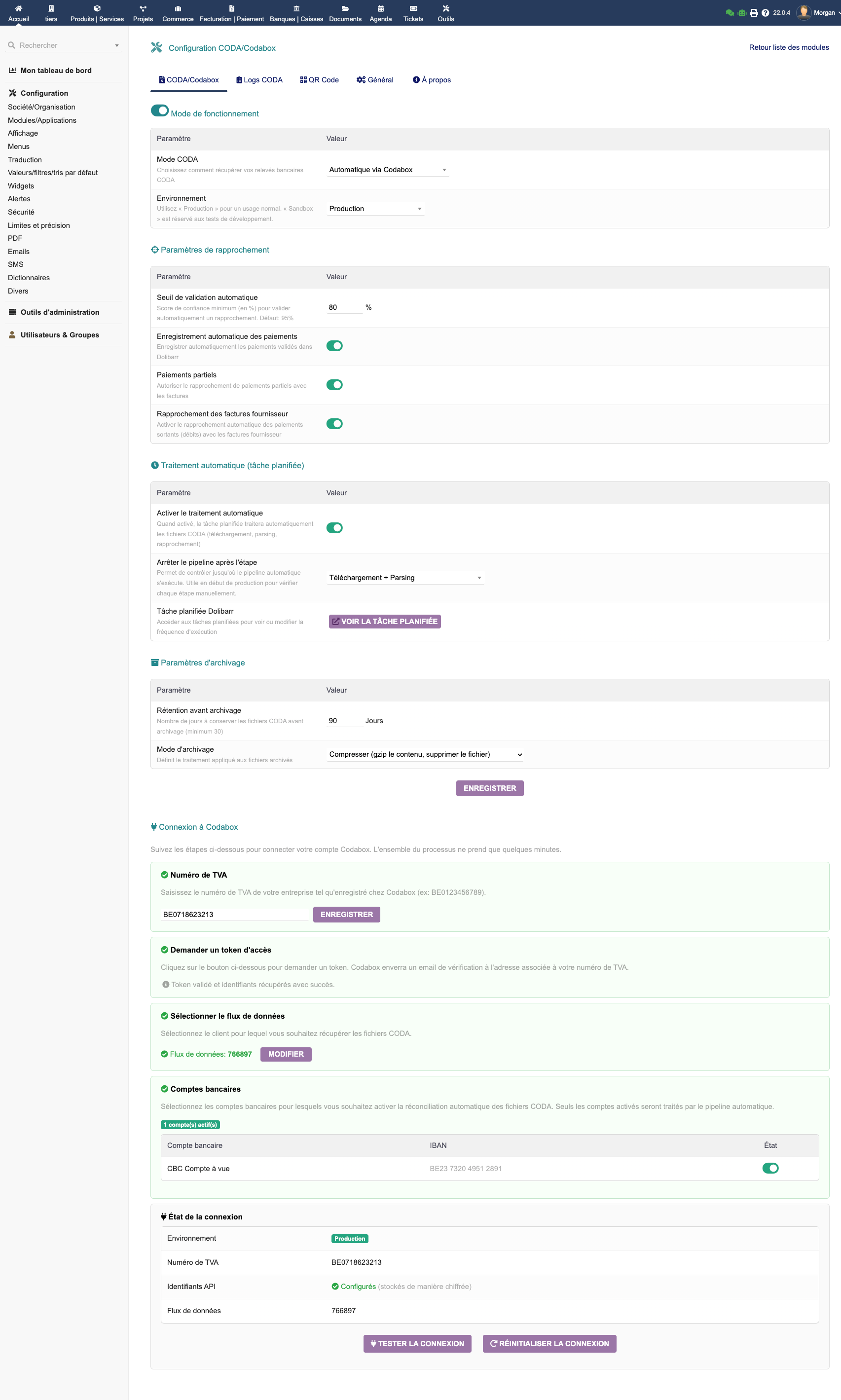
| Option | Description |
|---|---|
| Codabox import | Enables automatic retrieval via the Codabox API |
| Codabox API credentials | ClientId and ClientSecret provided by Codabox |
| Sync frequency | Automatic retrieval interval |
| Supplier invoices | Enable/disable reconciliation of outgoing payments |
| Archiving | CODA file archiving mode (none, move, copy) |
| Calendar events | Create Dolibarr events upon reconciliation |
EPC QR Code
What is an EPC QR Code?
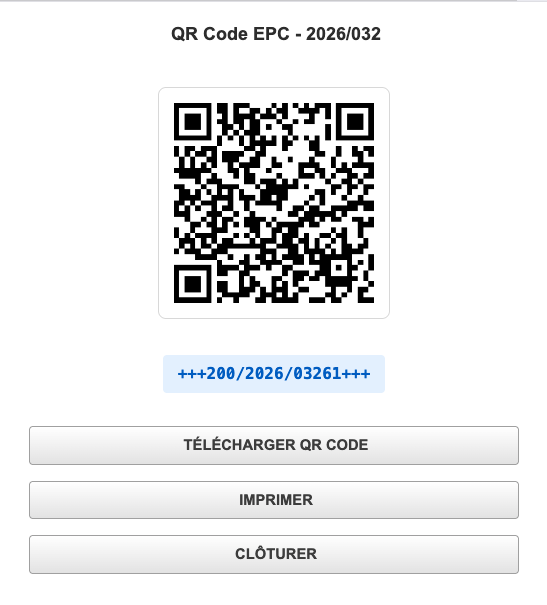
An EPC QR Code (standard EPC069-12 v3.1) is a QR code that banking apps recognize to pre-fill a SEPA wire transfer. The customer scans the code from their PDF invoice and their banking app displays directly:
- Beneficiary IBAN
- Bank BIC
- Exact invoice amount
- Structured communication (OGM/VCS or RF)
No manual typing, no errors.
From the invoice card
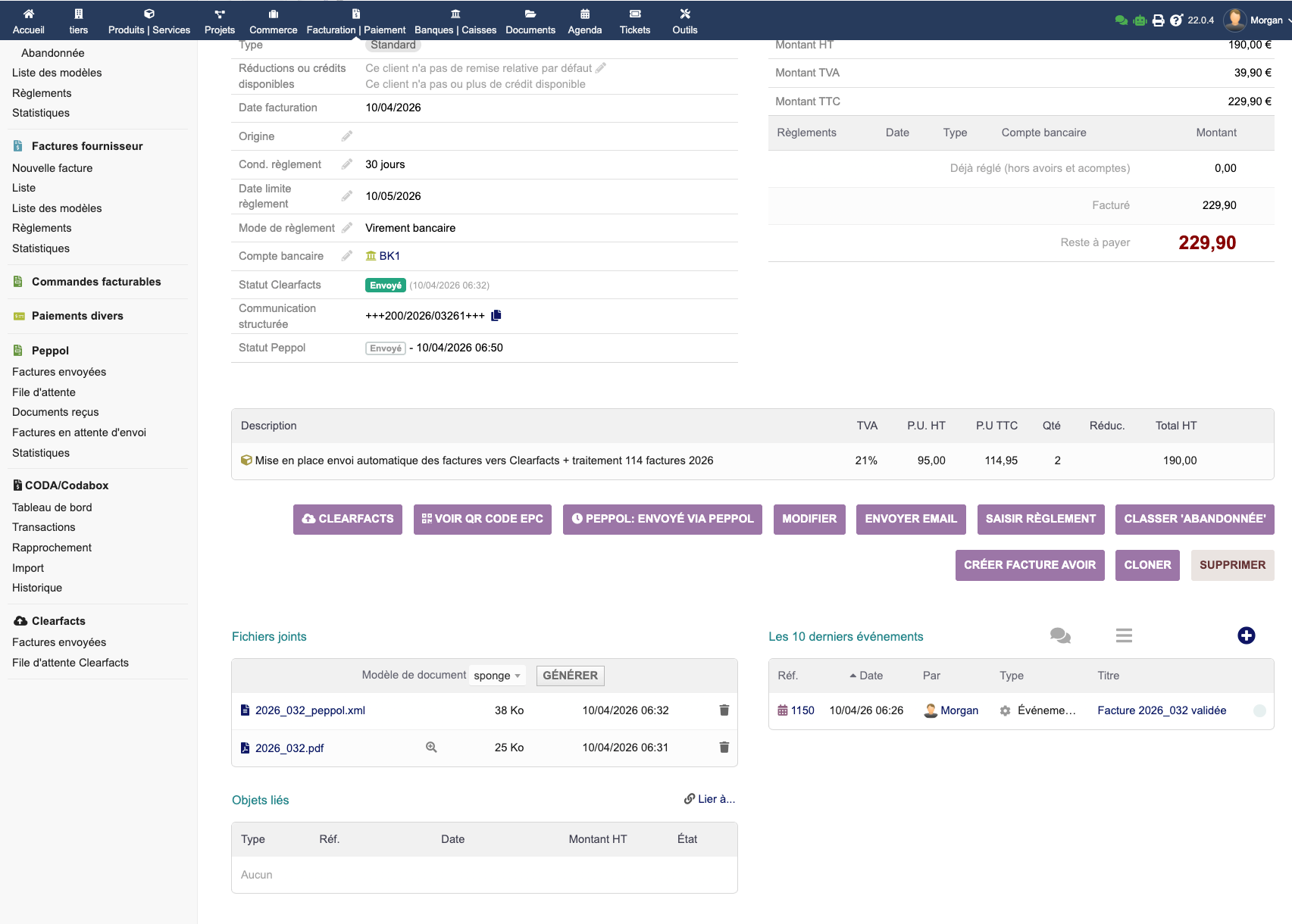
A QR Code button appears on each validated invoice. It opens a popup with the EPC QR code and payment information.
In PDF invoices
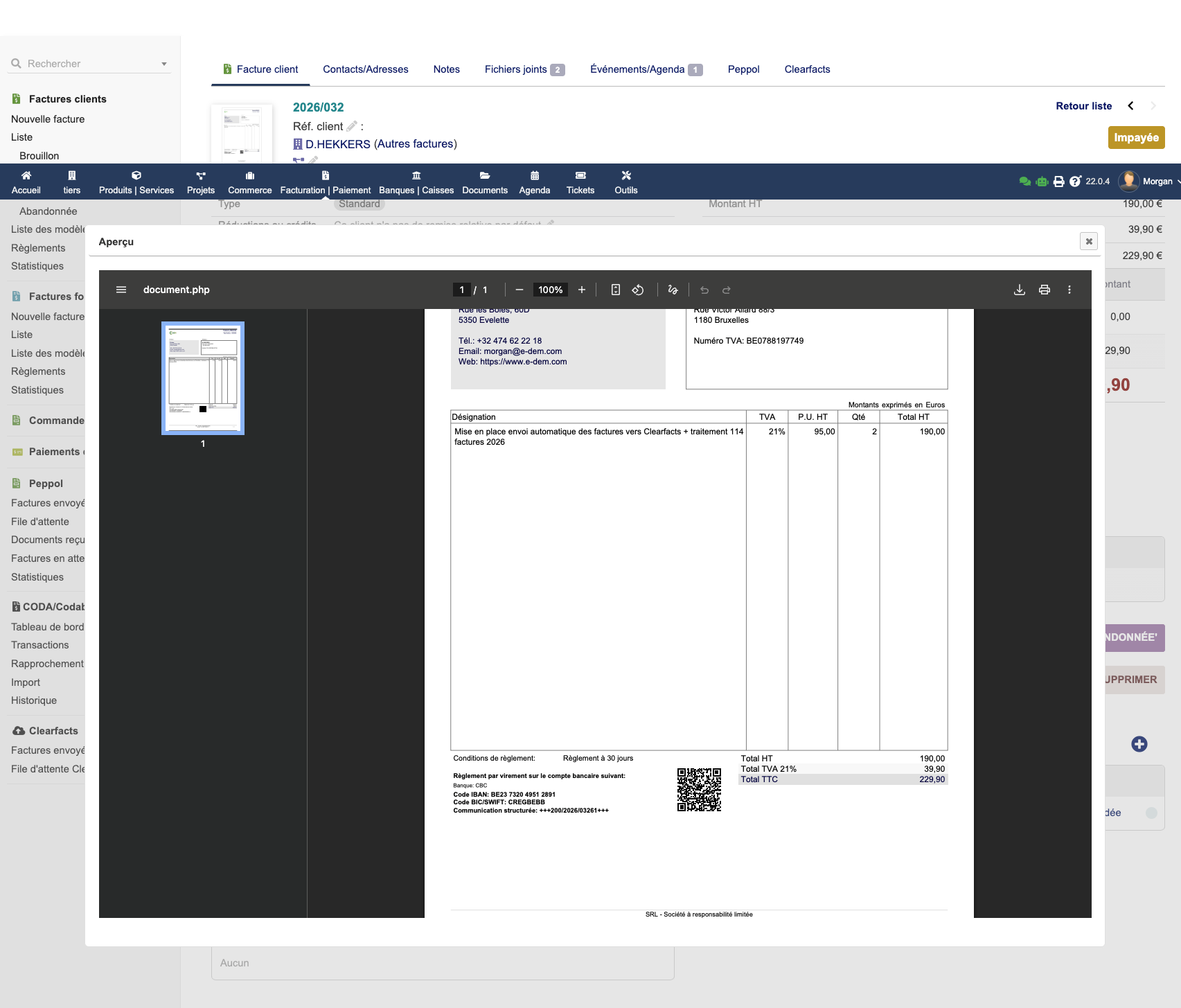
The QR code is automatically embedded in your Dolibarr PDF templates, at the configured position (header or footer).
Structured communications
| Type | Format | Usage |
|---|---|---|
| OGM/VCS | +++XXX/XXXX/XXXXX+++ |
Belgian invoices |
| ISO 11649 (RF) | RF12 1234 5678 9012 |
International SEPA invoices |
| Automatic | Context-based detection | Recommended |
Tip: The OGM/VCS structured communication is automatically recognized during CODA import — reconciliation happens on its own.
CODA / Codabox Import
Dashboard
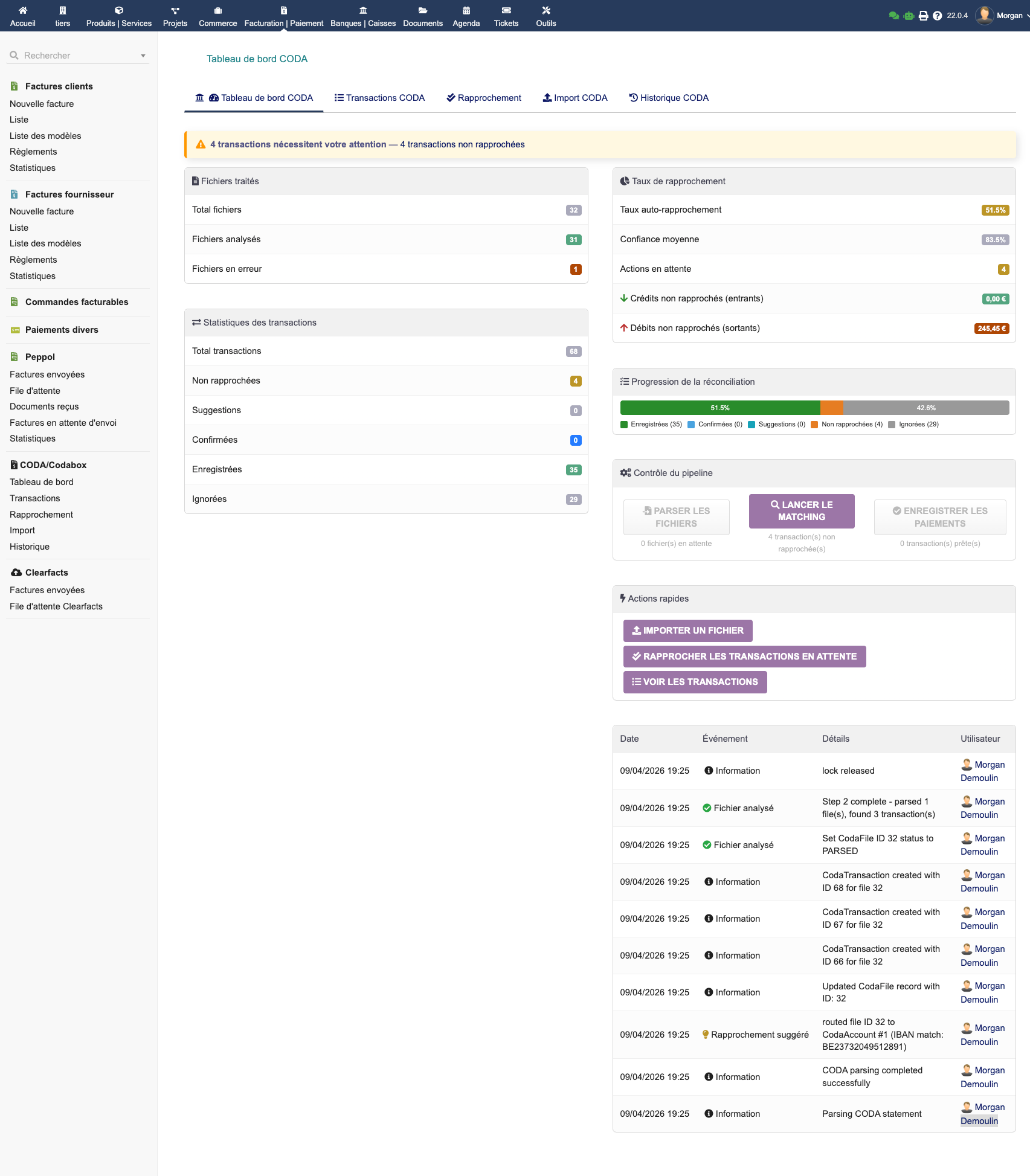
The CODA dashboard provides an overview of your imported bank statements and reconciliation status.
Imported transactions
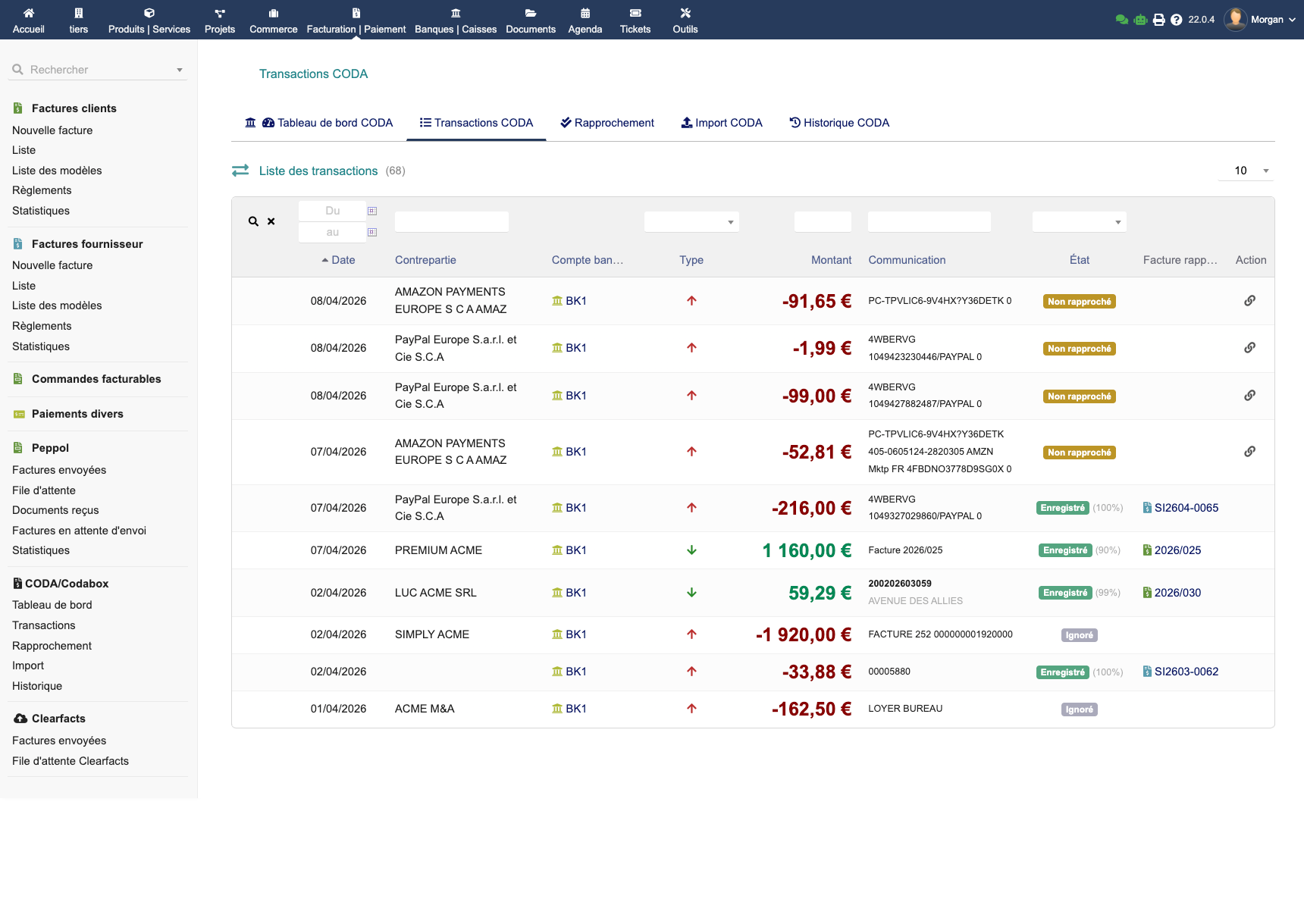
The transaction list displays all operations imported from your CODA statements, with their details: date, amount, counterpart, communication.
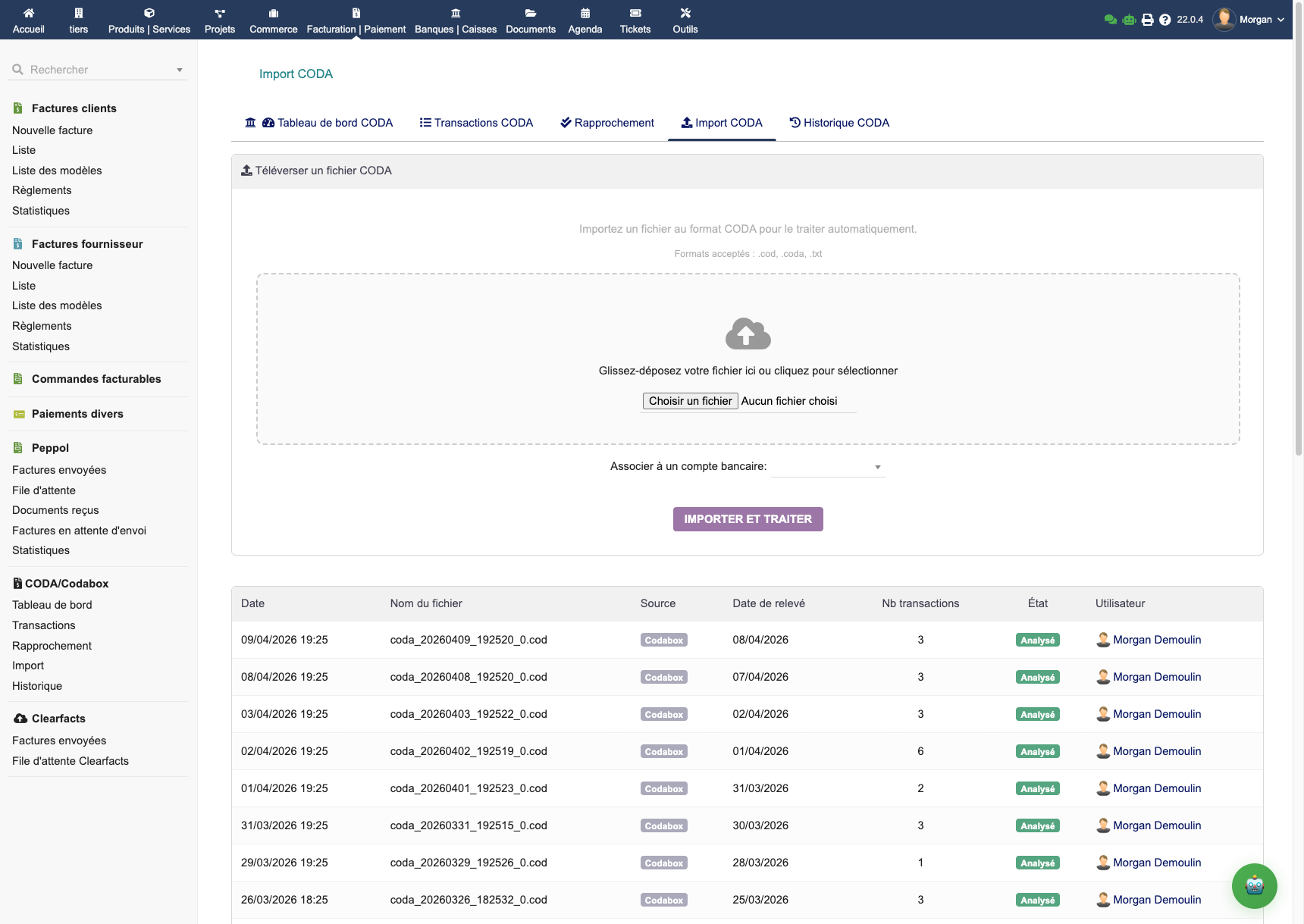
Manual CODA file import
If you don't use Codabox, import your CODA files manually from the dedicated interface.
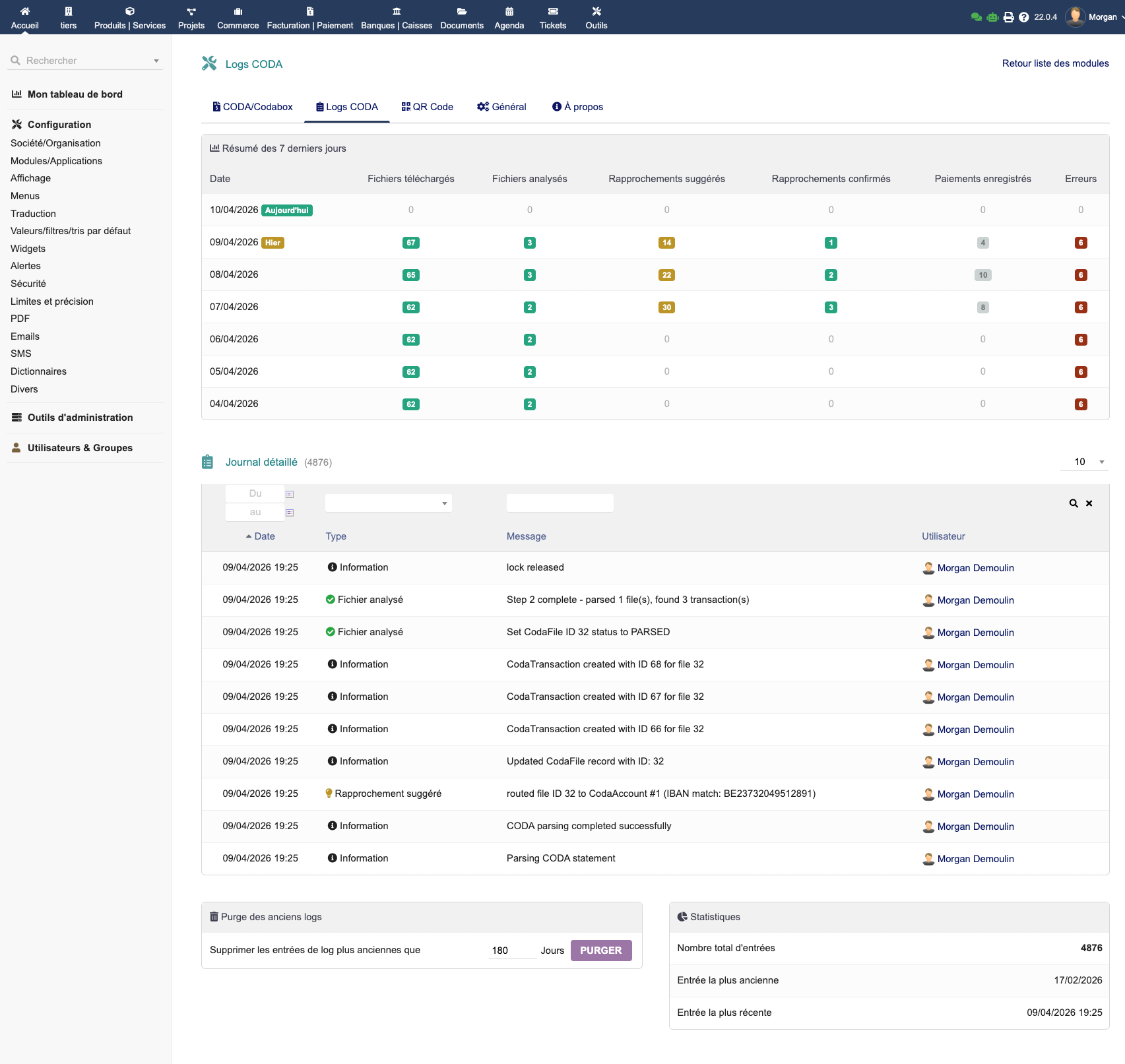
Import logs
Each import is traced in the logs with details of processed operations.
Bank Reconciliation
Pending reconciliations
Unreconciled transactions are presented with identified candidates. EMPayment uses multiple matching strategies in parallel:
- Structured reference: OGM/VCS or ISO 11649 RF detected in the bank communication
- Amount: exact match with an open invoice
- Counterpart: IBAN or payer name identified in Dolibarr third parties
- Date: temporal consistency with current invoices
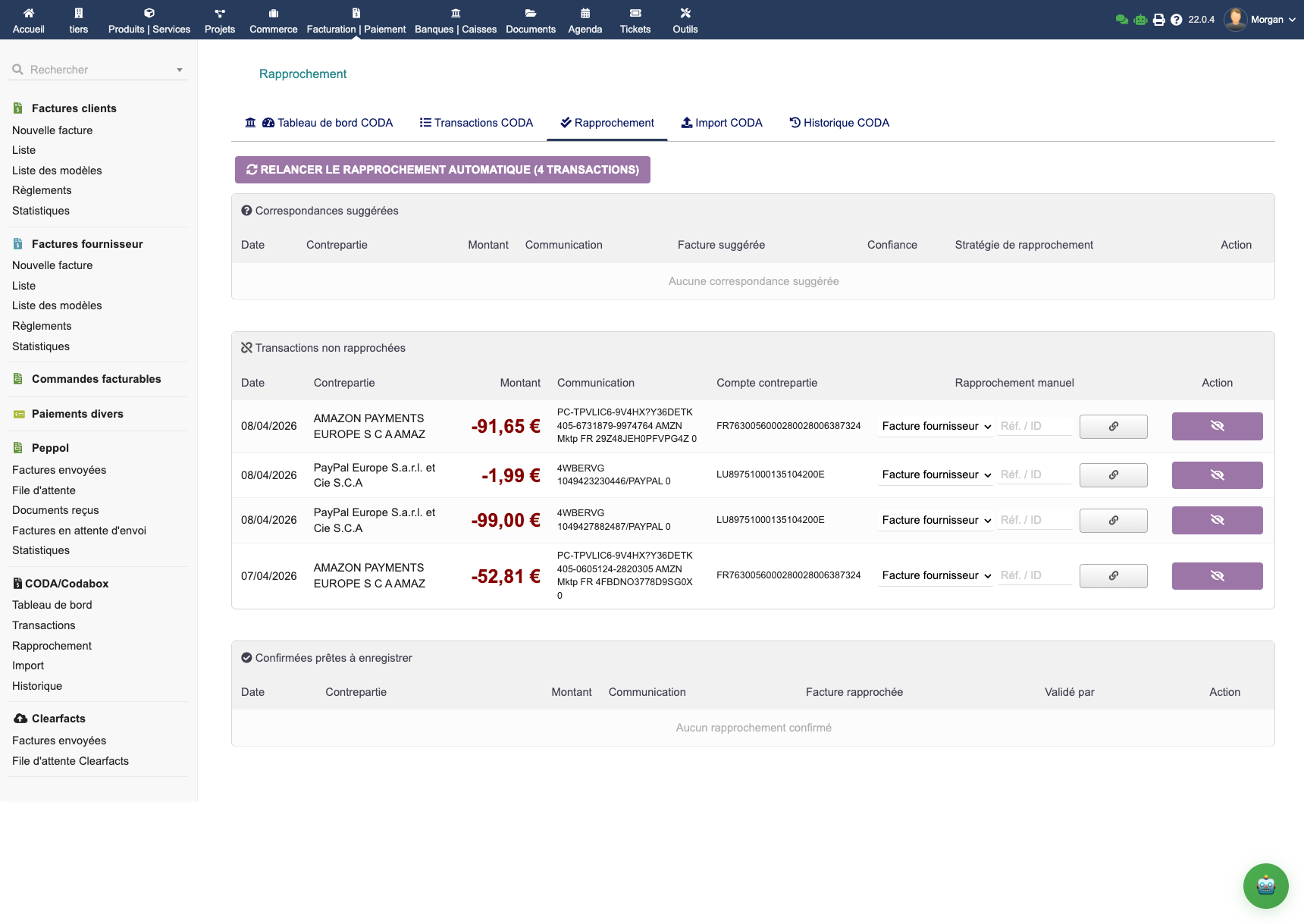
High-confidence matches are applied automatically. Ambiguous cases are presented in the pending reconciliation list for one-click validation.
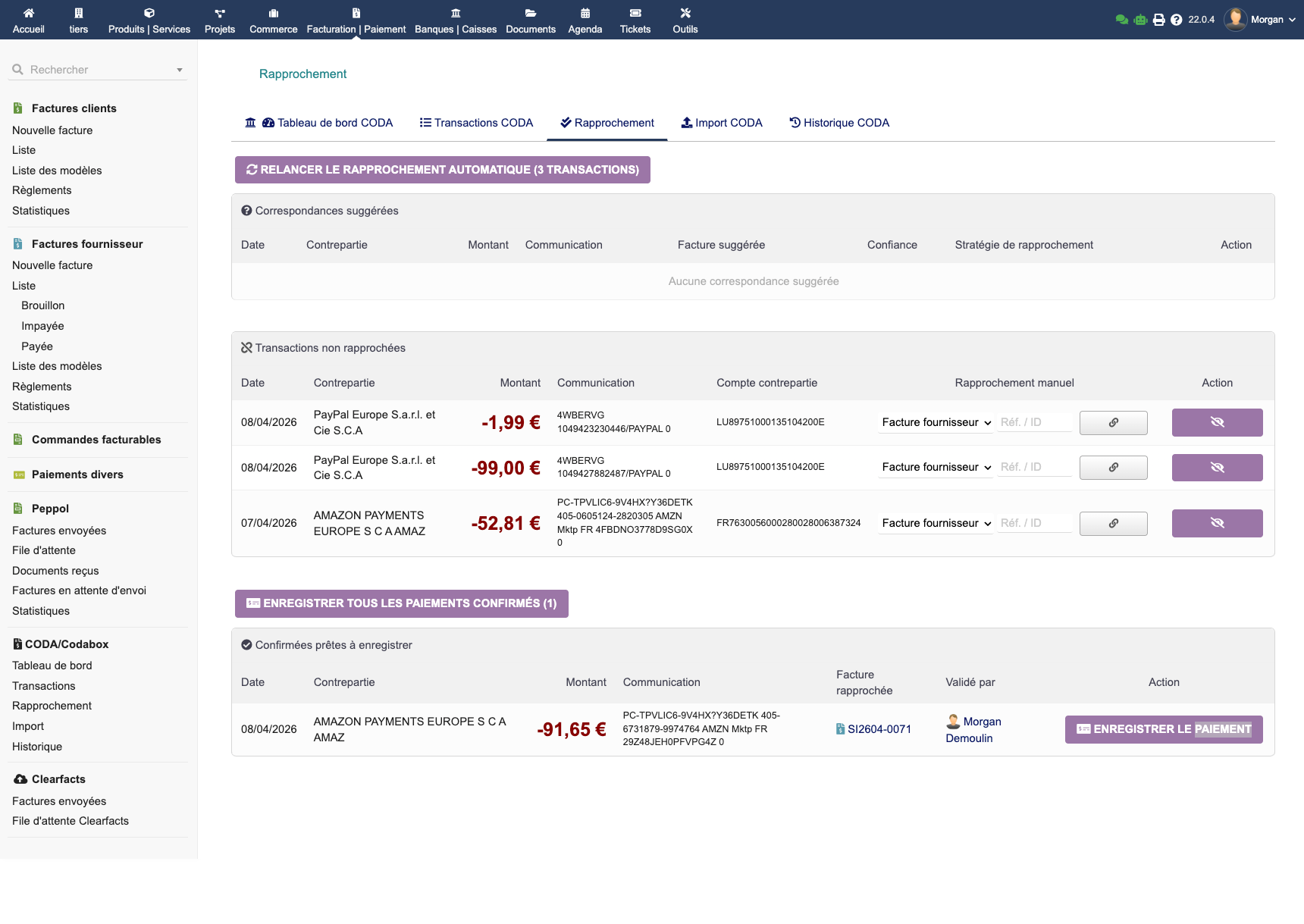
Confirmed reconciliations
Once validated, reconciliations appear in the confirmed history with a full audit trail.
Supplier invoices
Reconciliation works both ways: EMPayment reconciles both incoming payments (customer invoices) and outgoing payments (supplier invoices).
Common Issues
QR Code doesn't appear in the PDF → Check that IBAN and BIC are correctly entered in the configuration. The QR Code requires a valid IBAN.
Codabox import fails → Check your Codabox API credentials (ClientId and ClientSecret). Test from the configuration page.
Automatic reconciliation doesn't work → Check that the invoice's structured communication matches the expected format (OGM/VCS for BE, RF for international). Check the import logs.
Supplier invoices are not reconciled → The "Supplier invoices" option must be enabled in the CODA configuration.
FAQ
Is the EPC QR Code compatible with all banking apps?
Yes, the EPC069-12 v3.1 standard is recognized by all SEPA banking apps: BNP, ING, KBC, Belfius, Beobank, and their equivalents throughout the SEPA zone.
Does EMPayment work without Codabox?
Yes. CODA import can be done manually by uploading your CODA files. Codabox is optional and simplifies automation.
Is the OGM/VCS structured communication generated automatically?
Yes. EMPayment generates the Belgian structured communication (OGM/VCS) from the invoice number, in accordance with the official Belgian algorithm.
Can EMPayment be used alongside EMPeppol?
Yes. EMPeppol already generates an EPC QR code for received invoices. On the sending side, EMPayment adds the EPC QR code to your own PDF invoices. The two modules are complementary.
Where to get help?
- E-dem support: Contact us for any technical questions